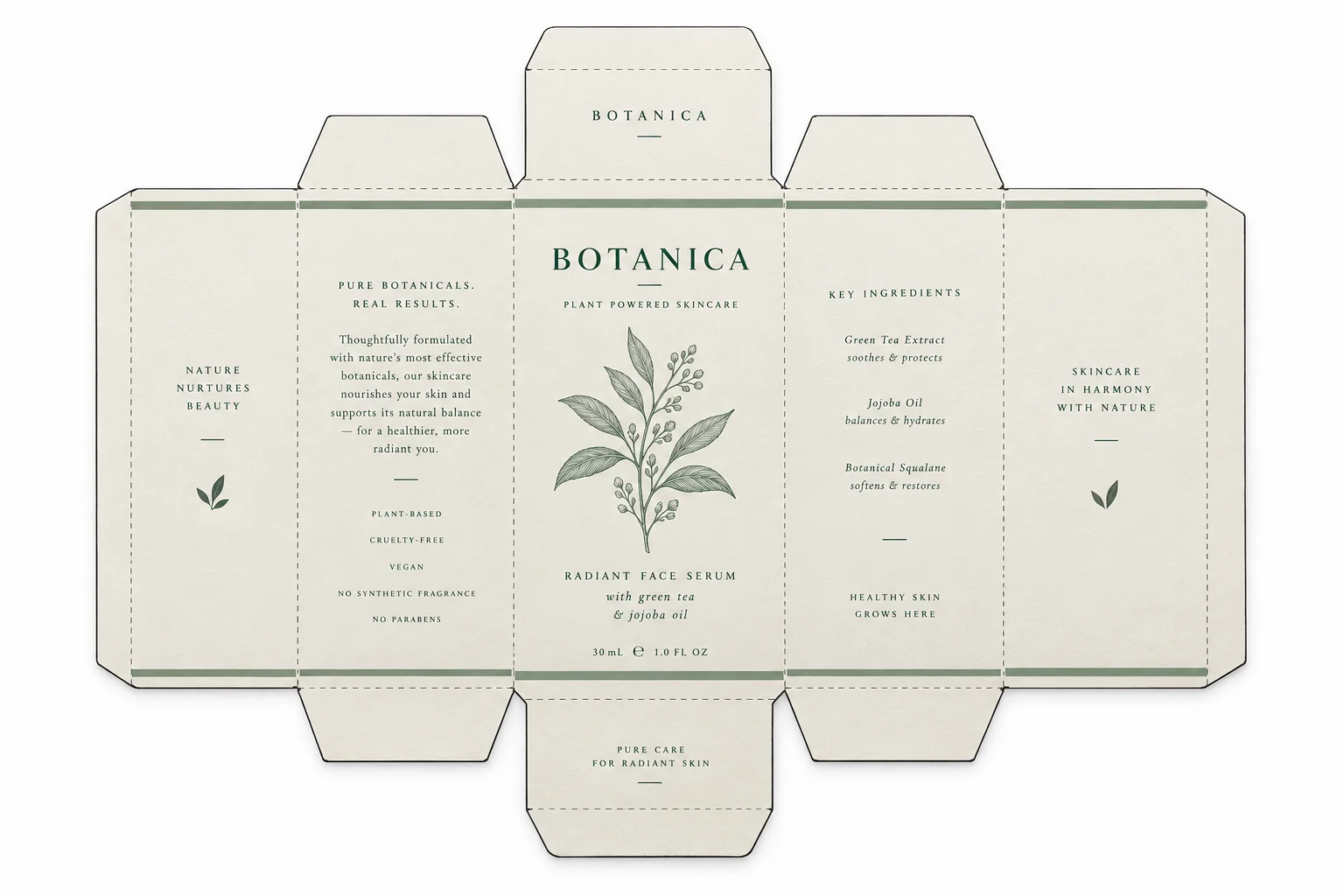
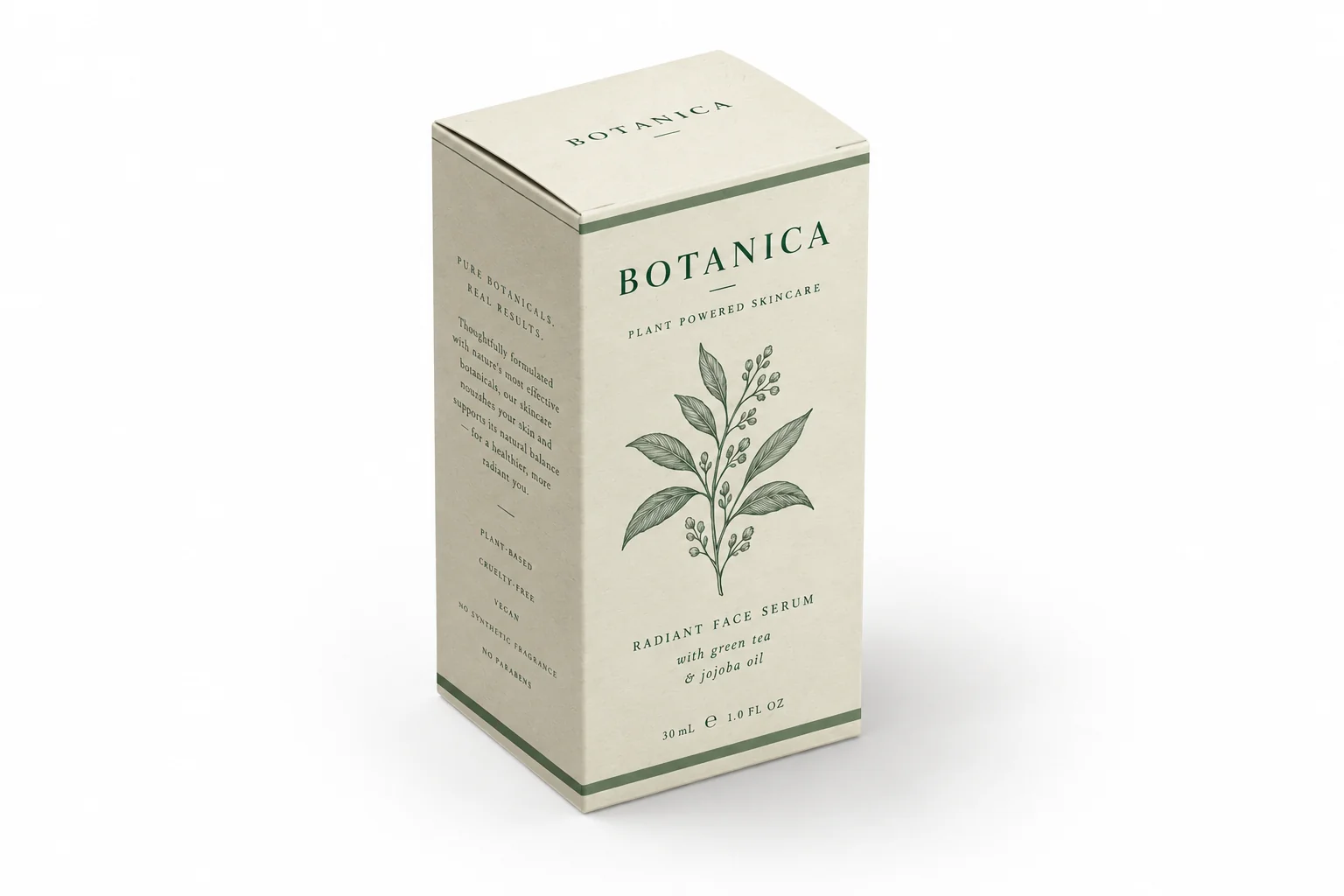
Turn the attached flat box dieline into a photorealistic 3D box mockup. Keep every panel, word, logo and color identical to the artwork. Pure white background. Place the box at a 30° top-down view, rotated 15° to the left, so the front, top and side faces are all clearly visible. Soft natural light from the upper left at 45°, the top face brightest, the front face next, the side face darkest, with a realistic contact shadow. Matte paper texture, sharp fold creases and clean edges. Commercial studio product photography, sharp focus, no plastic 3D render look.
包裝盒樣機產生器
面向平面設計圖的 AI 包裝盒樣機產生器
上傳平面包裝盒設計圖,選擇盒型、拍攝角度與紙張質感,然後產生棚拍光下的 3D 包裝盒樣機。版型、字體和顏色都留在你原本擺放的位置。
免費試用,無須 3D 軟體。
適用於摺疊紙盒、精裝禮盒、牛皮紙運輸箱與印刷紙袋。
平面設計圖
產生的樣機可直接複製的包裝盒樣機提示詞
以下是工作台產生的提示詞,用字能讓影像模型認真對待刀模結構。
可直接複製的包裝盒樣機提示詞
以下是工作台產生的提示詞,用字能讓影像模型認真對待刀模結構。
Render the attached flat carton artwork as a printed rigid gift box on a warm beige seamless background. Same artwork, same colors, no distortion. Slight 20° top-down angle with the lid and front visible, satin wrap with a soft sheen, a thin shadow under the box, soft diffused studio light from the left, calm premium packaging look, high resolution product photo.
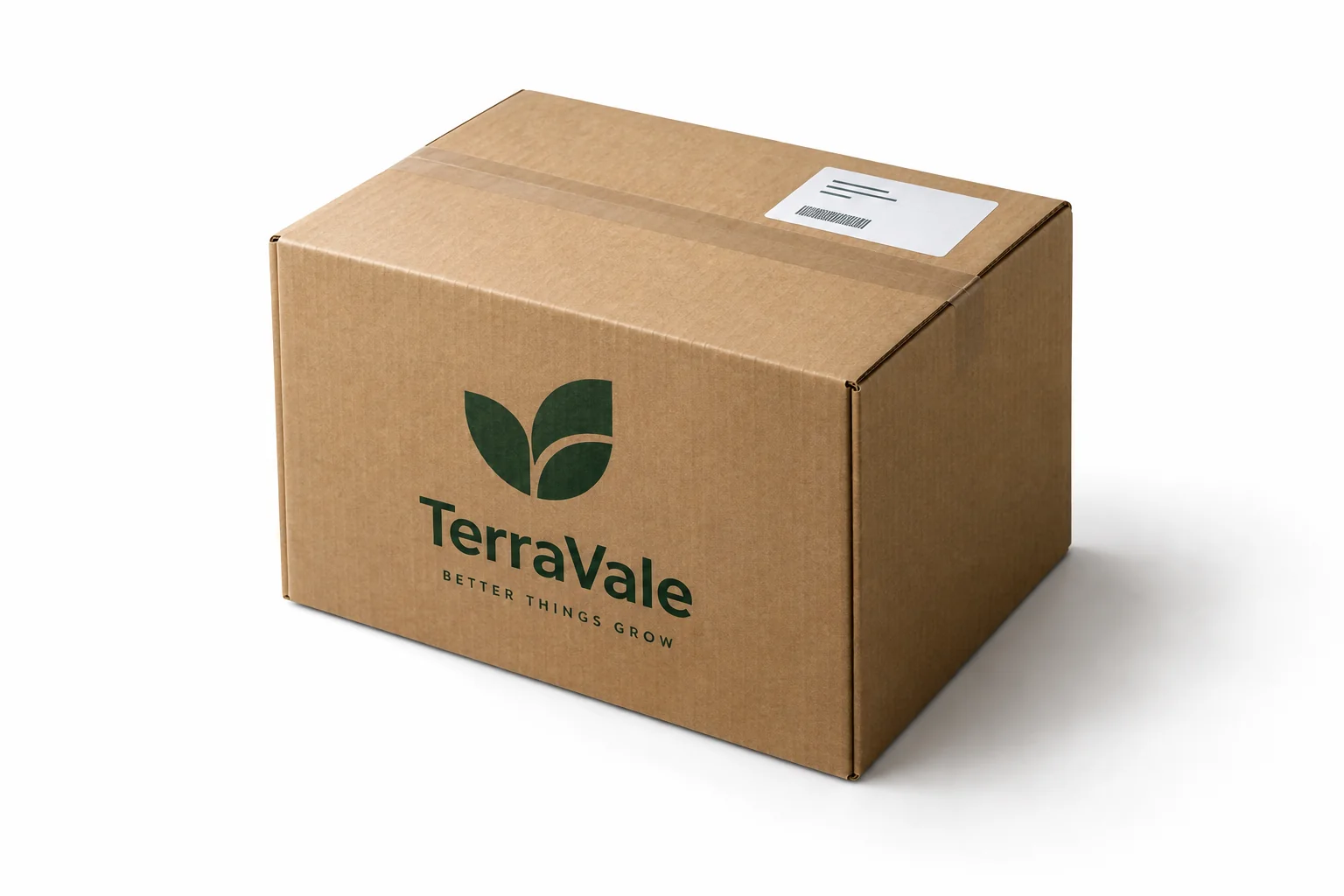
Convert the attached kraft shipping box design into a photorealistic corrugated carton mockup on a soft gray background. Keep the print layout, typography and brand mark exactly as supplied. Three-quarter view showing the top flaps, front panel and one side. Visible corrugated cut edge, matte kraft texture, printed packing tape, crisp creases, natural light from the upper left, subtle shadow, clean commercial product photography.
前後對比
平面檔案進,棚拍成品出
同一份設計印在真實紙盒上:紙張紋理、柔和陰影、清晰摺線,三個面同時可見。
平面設計圖
AI 樣機
AI 樣機提示詞對應的盒型
每種盒型都會改變幾何結構、材質,以及摺線受光的方式。在工作台選一種,提示詞就會跟著調整。
盲盒
六面紙盒附盒蓋,正面與側面都有印刷,適合潮玩與限量款。
美妝紙盒
保養品與香氛用的窄版摺疊紙盒,霧面紙材,邊緣俐落,帶輕微接觸陰影。
精裝禮盒
厚蓋與盒底組合,留有明顯縫隙線,緞面或霧面包紙,呈現高級開箱質感。
牛皮紙運輸箱
瓦楞紙板,切口略深,附印刷封箱膠帶,頂部摺翼有柔和壓痕。
印刷紙袋
平底紙袋,頂部摺邊搭配雙提把,可印在霧面或銅版紙上。
如何製作包裝盒樣機
三個步驟完成,不需要設計軟體,也不用到處找版型。
上傳平面設計圖
使用刀模圖或正面設計稿,格式為 PNG、JPG 或 WebP。請以印刷解析度上傳,字體才不會糊掉。
設定盒型、角度與紙張
工作台會自動寫好幾何、光線與材質指令,並顯示完整提示詞。
複製提示詞並產生
點擊產生,設計圖會上傳至 Felo AI,算圖會保留你的版型與顏色,並補上紙張紋理、摺線和棚拍光。
包裝盒樣機用在哪裡
任何需要在印刷前讓平面檔案看起來像成品的地方。
客戶提案
在提案裡展示裝盒後的產品,而不是一張平面設計圖的 JPG。客戶看到盒子,確認就更快。
電商上架
商品頁和平台都需要產品圖。樣品還沒到,樣機就能先補上。
印前校對
確認文字、logo 和刀模各面落在預期位置,在印刷廠開機前先抓出摺線問題。
包裝盒樣機常見問題
包裝盒樣機產生器是什麼?
它把平面包裝盒設計圖變成印刷後紙盒的照片,帶透視、紙張紋理和棚拍光線。設計稿還是你原本那份,省去套版型和在 Photoshop 裡做透視變形。
可以用我自己的刀模圖嗎?
可以。刀模圖或正面設計稿以 PNG、JPG 或 WebP 上傳,最大 20 MB。提示詞會要求模型完整保留每個面、logo 和顏色,算圖結果與你送印的檔案一致。
文字和 logo 會保持清晰嗎?
提示詞要求完整還原設計並保持印刷邊緣清晰。角度很斜時,極小的字仍可能變軟,請以原尺寸檢查算圖結果,字被拆壞就重新產生。
包裝盒樣機產生器免費嗎?
工作台和提示詞產生器免費。產生在 Felo AI 完成,免費版包含有限的圖片額度,付費版可提高額度。
支援哪些盒型?
盲盒、摺疊美妝紙盒、精裝禮盒、牛皮紙運輸箱和印刷紙袋。工作台會為每種盒型改寫幾何與材質描述。
需要 Photoshop 或 3D 軟體嗎?
不需要。你只需要一張平面設計圖和一段提示詞。樣機直接從圖片產生,不用建 3D 模型,也不用替換智慧型物件。