Image to video
AI Kissing Video Generator
Make two photos kiss
Upload one photo of a couple, or a portrait of each person, and get a 6- or 10-second clip of them leaning in for a kiss. Faces, clothes and the background stay as they are in your photo.
A single photo of both people keeps the likeness best. Two portraits work too; the video agent then builds a shared scene for them.
Choose the moment
They turn to each other, lean in and share a soft kiss on the lips, then smile.
Clip length
Resolution
Aspect ratio
Add a photo of the couple to start.
Output example
Kissing videos made from one photo, or two
The small images in the corner are the photos that went in. Every clip here was generated by Felo from those photos.
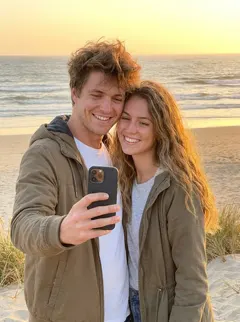
A beach selfie at sunset: the phone comes down and they kiss
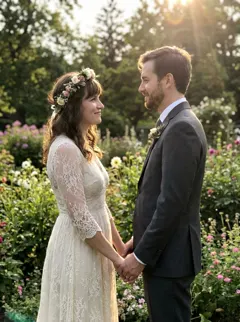
Bride and groom holding hands in a garden, then a soft kiss

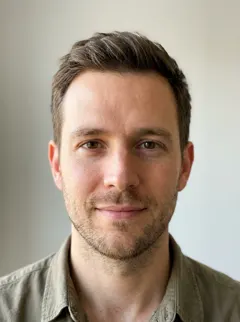
Two separate head-and-shoulder portraits, placed together in one room
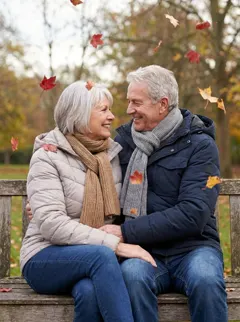
An older couple on an autumn bench, a short kiss and a laugh

An anime illustration under cherry blossoms, animated in the same style
All people in these examples are fictional and were generated for this page.
How to make an AI kissing video
- 1
Upload the photo, or two
Add one picture with both people in it. No photo together? Add a portrait of each person in the two slots.
- 2
Pick the moment and length
Gentle kiss, cheek kiss, forehead kiss or hug; 6 or 10 seconds; 768P or 1080P; and the aspect ratio for where you will post it.
- 3
Generate and adjust
The video agent opens in a new tab and renders the clip. Ask for changes there in plain words, such as "slower" or "keep the camera still".
One photo of both, or two separate portraits?
Both work. What changes is how much the model has to invent.
One photo with both people
The best input. The model already sees both faces, the clothes, the background and the light, so it only has to add the movement. The first frame of the clip is your photo.
Two portraits
Use this when there is no photo of the two of them together. The model builds a scene that never existed, so it picks a background and pose, and the likeness can drift more than with a single photo. Front-facing portraits with even light hold up best.
Pick the moment you want
Photos that animate well
Faces large enough to read
Chest-up or waist-up framing works best. In a wide group shot, the faces are too small to keep their likeness through a kiss.
Even light, no sunglasses
Deep shadow across a face, sunglasses or a hand over the mouth leave the model guessing, and the guess shows.
Facing the camera or each other
Both people facing forward, or already turned toward each other, gives the cleanest lean-in. Backs to the camera do not animate into a kiss.
One gesture per clip
A 6-second clip fits one movement: a lean-in and a kiss. Ask for a kiss, a laugh and a spin, and all three come out rushed.
Whose photos you can use
A kissing clip puts two faces into an intimate moment. Use photos of yourself, or of a partner, friend or family member who agreed to it. Making kissing videos of a celebrity, an ex or a stranger without their consent is harmful, and in many countries it is illegal.
The consent box above the button is there for that reason. Felo cannot know whether the people in your photo agreed, so that judgement is yours, both when you make the clip and when you share it.
Frequently asked questions
Make a kissing video from your photo
One photo, one gesture, a 6- or 10-second clip.
Make Them KissEach clip spends credits from your daily allowance.