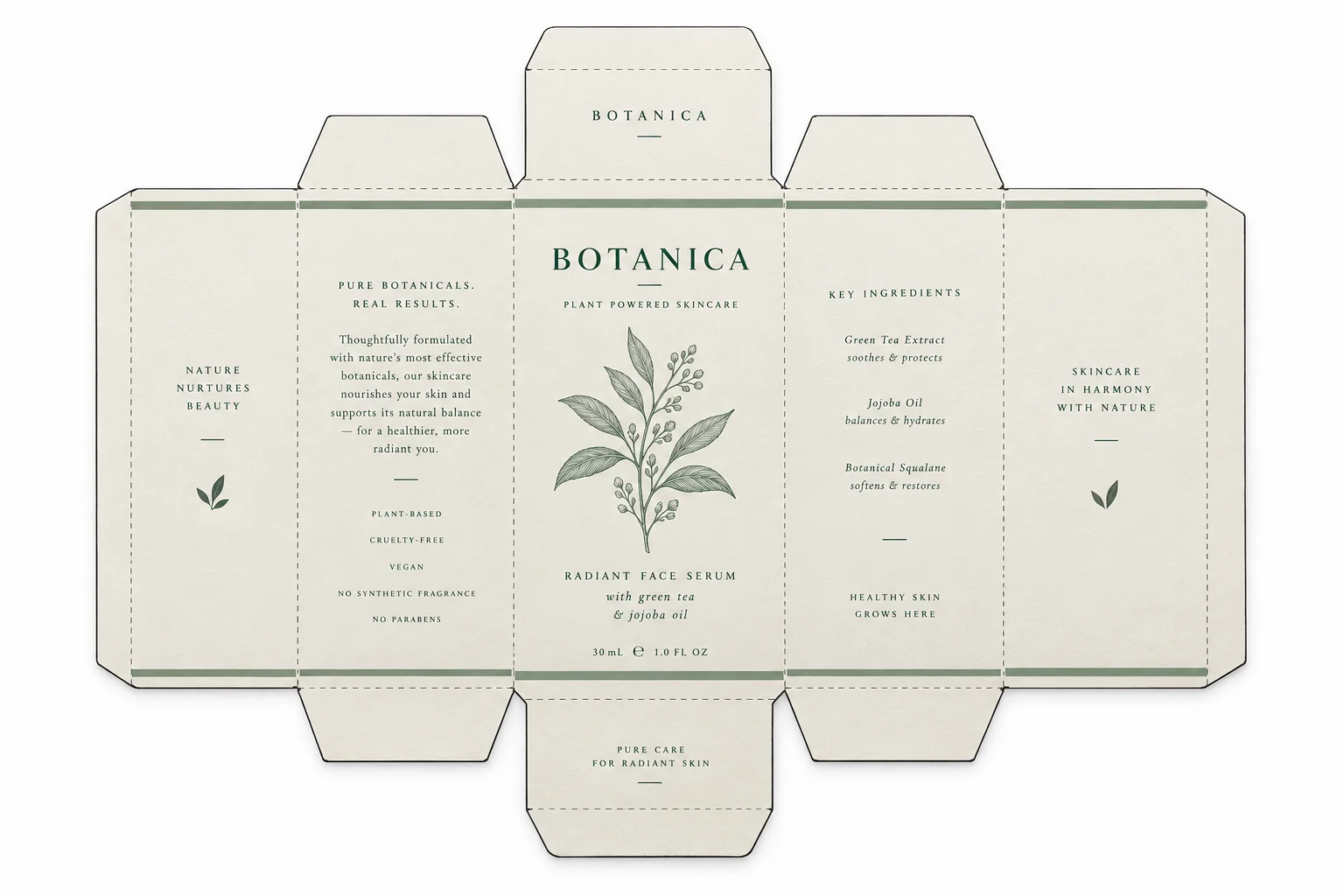
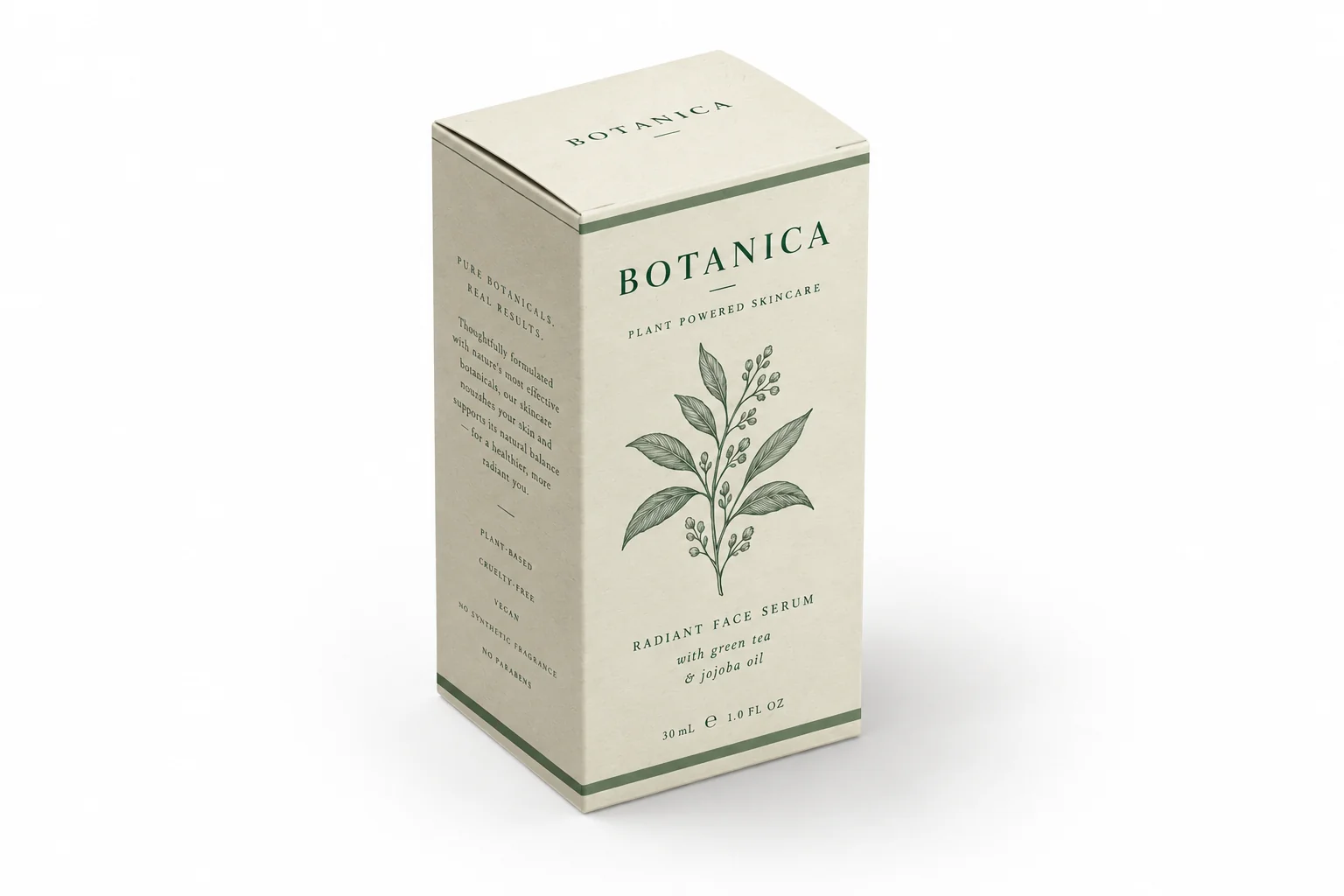
Turn the attached flat box dieline into a photorealistic 3D box mockup. Keep every panel, word, logo and color identical to the artwork. Pure white background. Place the box at a 30° top-down view, rotated 15° to the left, so the front, top and side faces are all clearly visible. Soft natural light from the upper left at 45°, the top face brightest, the front face next, the side face darkest, with a realistic contact shadow. Matte paper texture, sharp fold creases and clean edges. Commercial studio product photography, sharp focus, no plastic 3D render look.
Box mockup generator
AI box mockup generator for flat artwork
Upload a flat box artwork, choose the box type, camera angle and paper finish, then generate a studio-lit 3D box mockup. Your layout, type and colors stay exactly where you placed them.
Free to try. No 3D software needed.
Built for folding cartons, rigid gift boxes, kraft shippers and printed paper bags.
Flat artwork
Generated mockupFlat artwork
Prompts are written in English because image models follow geometry and lighting instructions more reliably in English.
Your artwork is uploaded to Felo when you generate.
Sign-in required; account limits apply.
Box mockup prompts you can copy
These are the prompts the workbench builds, with the wording that makes image models respect a dieline.
Box mockup prompts you can copy
These are the prompts the workbench builds, with the wording that makes image models respect a dieline.
Render the attached flat carton artwork as a printed rigid gift box on a warm beige seamless background. Same artwork, same colors, no distortion. Slight 20° top-down angle with the lid and front visible, satin wrap with a soft sheen, a thin shadow under the box, soft diffused studio light from the left, calm premium packaging look, high resolution product photo.
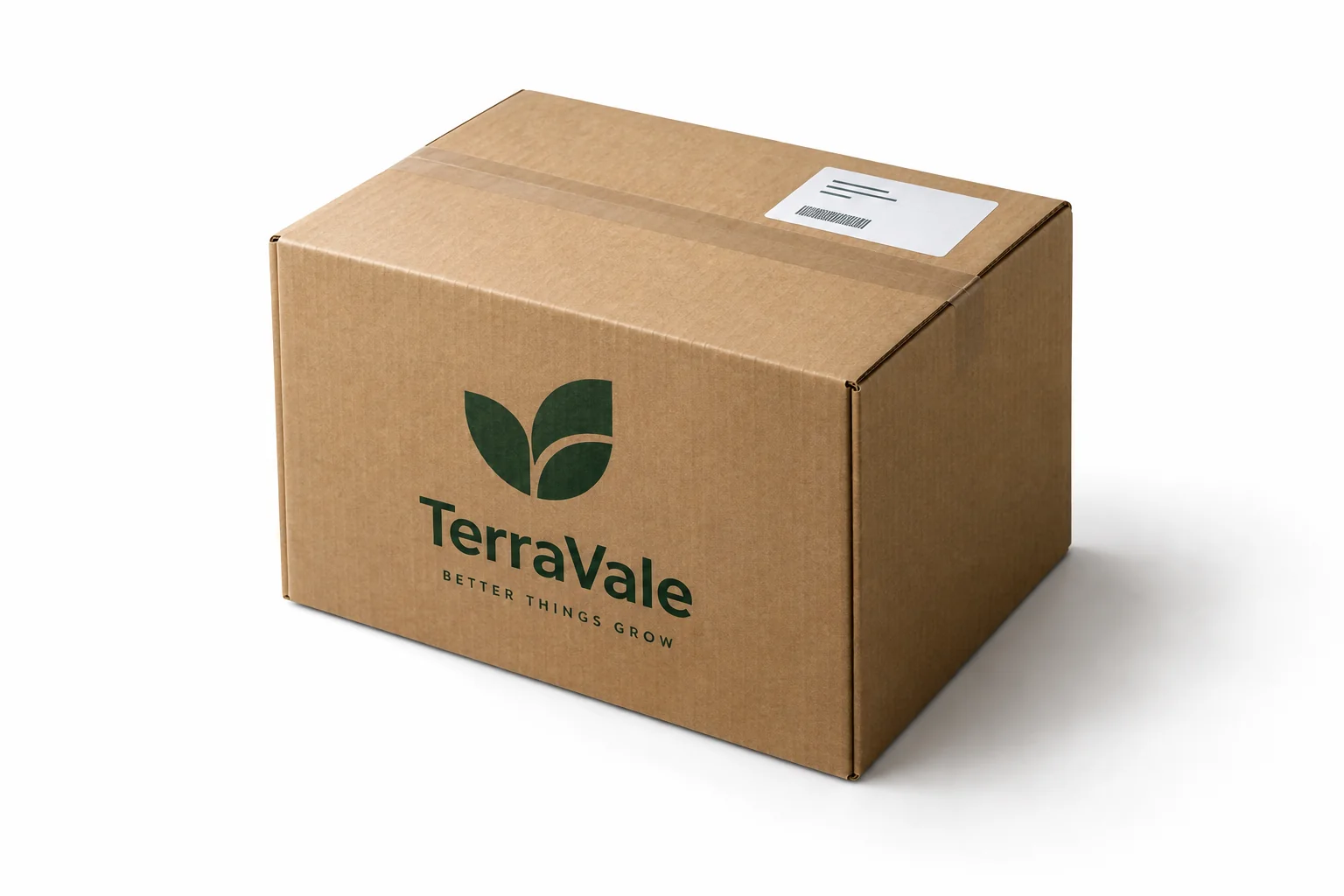
Convert the attached kraft shipping box design into a photorealistic corrugated carton mockup on a soft gray background. Keep the print layout, typography and brand mark exactly as supplied. Three-quarter view showing the top flaps, front panel and one side. Visible corrugated cut edge, matte kraft texture, printed packing tape, crisp creases, natural light from the upper left, subtle shadow, clean commercial product photography.
Before and after
Flat file in, studio photograph out
The same artwork printed on a real box: paper texture, soft shadow, sharp fold lines and three visible faces.
Flat artwork
AI mockup
AI mockupBox types the prompt is tuned for
Each type changes the geometry, the material and the way light falls on the folds. Pick one in the workbench and the prompt follows.
Mystery box
Six-panel carton with a lid, front and side panels that all carry print. Suits collectibles and limited runs.
Cosmetic carton
Slim folding carton for skincare and fragrance, matte stock with a crisp edge and a small contact shadow.
Rigid gift box
Thick lid-and-base box with a visible gap line and a satin or matte wrap. Reads as a premium unboxing.
Kraft shipping box
Corrugated board with a slightly darker cut edge, printed tape and a soft crease along the top flaps.
Printed paper bag
Flat-bottom bag with a folded top edge and two handles, printed on matte or coated paper.
How to make a box mockup
Three steps, no design software and no template hunting.
Upload the flat artwork
Use the dieline or the front panel artwork as PNG, JPG or WebP. Send it at print resolution so the type stays sharp.
Set box type, angle and paper
The workbench writes the geometry, lighting and material instructions for you and shows the full prompt.
Copy the prompt and generate
Press generate. The artwork uploads to Felo AI and the render keeps your layout and colors while adding paper texture, folds and studio light.
Where a box mockup earns its keep
Anywhere a flat file has to look like a finished product before the print run.
Client presentations
Show a boxed product in the pitch instead of a JPEG of a flat file. Approvals move faster when the client can see the box.
E-commerce listings
Product pages and marketplaces need a pack shot. A mockup gives you one before the first sample arrives.
Print proofs
Check that type, logo and dieline panels land where you expect, and catch a bad fold before the printer runs the job.
Box mockup questions
What is a box mockup generator?
It turns a flat box artwork into a picture of the printed box, with perspective, paper texture and studio lighting. You keep the design work and skip template hunting and perspective warping in Photoshop.
Can I use my own dieline?
Yes. Upload the dieline or the front panel artwork as PNG, JPG or WebP up to 20 MB. The prompt tells the model to keep every panel, logo and color exactly as supplied, so the render matches the file you send to print.
Will the text and logo stay readable?
The prompt asks for full artwork fidelity and clean print edges. Very small type can still soften at steep angles, so check the render at full size and regenerate if a word breaks.
Is the box mockup generator free?
The workbench and prompt builder are free. Generation runs in Felo AI, where the free plan includes a limited number of images and paid plans raise that limit.
Which box types are covered?
Mystery boxes, folding cosmetic cartons, rigid gift boxes, kraft shipping boxes and printed paper bags. The workbench changes the geometry and material wording for each type.
Do I need Photoshop or a 3D program?
No. You need a flat artwork and a prompt. The mockup is generated from the image, so there is no 3D model to build and no smart object to replace.
More packaging tools
Turn your dieline into a box people can see
Upload the flat file and generate a studio shot of the box before the print run.
Generate a box mockupFree to try. Your artwork stays in this browser session until you send it.