Codex スキル · Web ページ抽出

Felo Web Fetch Codex スキル

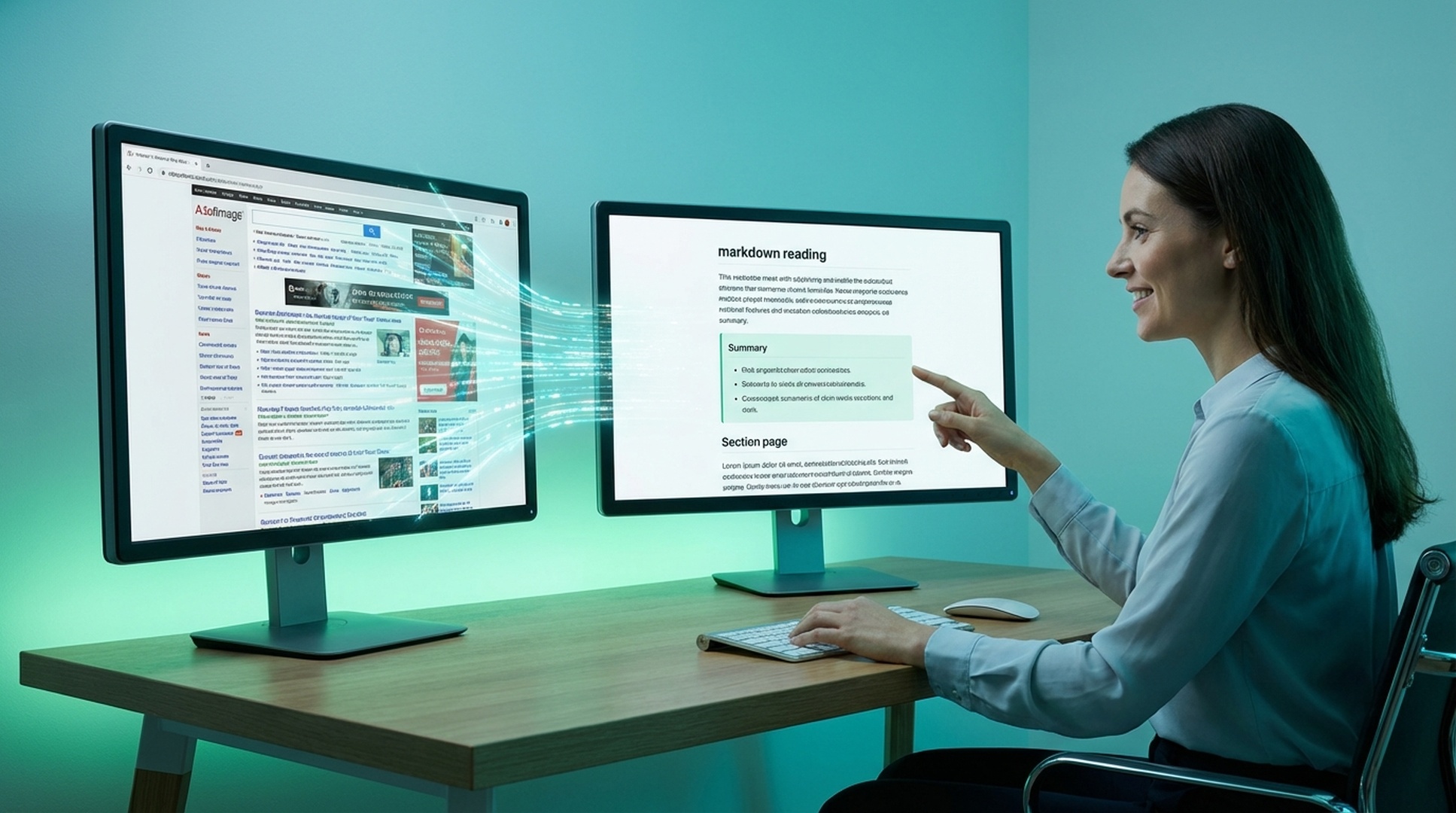
Felo Web Fetch lets Codex extract any URL as clean markdown, plain text, or HTML so documentation pages, product specs, and reference content flow straight into your terminal workflow without manual copy-paste.

Codex Web page extraction
felo web-fetch --url "https://example.com/pricing" --format markdown --readability
Connecting the skill to live workflow context...
Processing the request and preparing usable output...
Result ready for the next step in your workflow.

Built for Codex users who need the actual page content, not a noisy browser snapshot or manual copy-paste.

Codex skill
web page extraction
npm install
one-command setup
3 formats
markdown, text, HTML
Readability
strips ads and navigation

Felo Web Fetch が Web コンテンツ抽出に必要な理由

多くのページはノイズが多く、動的で、要約、比較、保存、構造化された下流利用にそのまま向きません。

ページがノイズだらけ

ナビゲーション、広告、レイアウトの装飾が、AI に必要な本文を埋もれさせます。

動的ページは抽出しにくい

重要な内容が出てくるまでに待機、セレクタ、別のクロールロジックが必要なことが多いです。

手作業の整形ではスケールしない

有用なページすべてに手作業の整形が必要だと、調査パイプラインはすぐに遅くなります。

Felo Web Fetch が Web コンテンツ抽出をどう改善するか

felo-web-fetch は雑多なページを読みやすい Markdown、テキスト、HTML に変え、後続の AI ステップが余計な DOM ノイズではなく必要な内容から始められるようにします。

  • 複数出力形式:ワークフローに応じて Markdown、プレーンテキスト、HTML を返せます。
  • Readability モード:ナビ、広告、サイドバーを取り除き、AI が本文だけを扱えるようにします。
  • CSS セレクタ指定:価格表、本文、商品一覧など必要な部分だけを抽出できます。
  • 動的ページ制御:要素待機、タイムアウト設定、JavaScript の重いページ向けクロール切替ができます。
1
InstallAdd the skill to the environment where the team already works
2
AskUse natural language or the matching CLI command
3
ProcessLet the skill perform the specialized task cleanly
4
ReusePass the result into the next workflow step

Install the Felo Web Fetch skill in Codex

Use npm to install the full Felo skill pack, or copy just felo-web-fetch into your Codex skills directory for a targeted setup.

How to install the Felo Web Fetch skill in Codex

Codex

Let Codex fetch and parse any URL into clean markdown, text, or HTML so documentation, pricing pages, and reference content flow straight into your terminal workflow.

# Install all Felo skills globally npm install -g felo-ai # Or install this skill manually git clone https://github.com/Felo-Inc/felo-skills.git cd felo-skills cp -r felo-web-fetch ~/.codex/skills/


Read Felo API Docs

Felo Web Fetch スキルの主要機能

これらの機能は、ページ単位の取得、構造化抽出、そして調査や文書作業におけるよりクリーンな下流入力のために作られています。

複数出力形式

ワークフローに応じて Markdown、プレーンテキスト、HTML を返せます。

Readability モード

ナビ、広告、サイドバーを取り除き、AI が本文だけを扱えるようにします。

CSS セレクタ指定

価格表、本文、商品一覧など必要な部分だけを抽出できます。

動的ページ制御

要素待機、タイムアウト設定、JavaScript の重いページ向けクロール切替ができます。

Felo Web Fetch スキルを使う場面

検索結果よりもページそのものが重要で、次の工程のために正確な内容をきれいに取得したいときに使います。

Read docs while coding with felo-web-fetch

コーディング中にドキュメントを読む

背景: 最新の API ドキュメントをコーディングワークフローへ直接取り込む。
この価格ページを Markdown で抽出し、料金セクションだけを残してください。
Competitor research with felo-web-fetch

競合リサーチ

背景: 比較のために、料金ページや機能ページの構造化コンテンツを取得する。
最新の API ドキュメントページを取得し、ナビゲーションのノイズを除去してください。
Article summarization with felo-web-fetch

記事要約

背景: 要約やブリーフ作成の前に、長文コンテンツを Markdown で取得する。
このレポートから本文だけを抽出し、要約しやすい形にしてください。

Get the Felo Web Fetch skill running in Codex in 3 steps

Install the skill, set your API key, and start pulling clean page content into Codex sessions.

1

Install via npm or copy the folder

Run npm install -g felo-ai for the complete skill set, or clone the repo and copy felo-web-fetch into ~/.codex/skills/ for a standalone install.

2

Export your Felo API key

Set FELO_API_KEY in your shell environment so the skill can connect to the extraction and rendering backend.

3

Fetch your first page

Ask Codex to extract a URL as markdown with readability mode enabled and use the clean output for summaries, comparisons, or downstream analysis.

チームが Felo Web Fetch スキルを使い続ける理由

チームが使い続けるのは、きれいな Web コンテンツがその後の要約、比較、文書ワークフローをすべて良くするからです。

★★★★★
料金ページやドキュメントがパイプラインの残りに届く前に、ノイズの多いレイアウトを取り除くために使っています。
Vik Patel
Vik Patel
★★★★★
断片を手でコピーする代わりに構造化された Web コンテンツを取得できるようになってから、競合分析がずっと速くなりました。
Daniel Park
Daniel Park
★★★★★
コンテンツ運用では、Markdown 出力が本当の強みです。雑多なページをチーム全体が再利用できる形に変えてくれます。
Mia Chen
Mia Chen

Felo Web Fetch スキルの重要な成果

3 つの出力
下流タスク向け
1 つのセレクタ
コンテンツを絞り込む
読みやすい
ノイズより内容を優先
動的
ページ制御を内蔵

Felo Web Fetch Codex skill FAQ

How do I install the Felo Web Fetch skill in Codex?
Run npm install -g felo-ai to get all Felo skills at once, or copy the felo-web-fetch folder to ~/.codex/skills/. Then export your FELO_API_KEY environment variable.
What output formats does the Codex skill support?
It can return markdown, plain text, or raw HTML depending on how you want to summarize, compare, or feed the content into another step.
Can it handle JavaScript-heavy pages?
Yes. The skill supports dynamic page controls including wait-for-element, custom timeouts, and alternate crawl modes for single-page apps and JS-rendered content.
When should I use Web Fetch instead of Felo Search in Codex?
Use Felo Web Fetch when you already know which page you need and want its content extracted cleanly. Use Felo Search when you need to discover information across the open web first.

Give Codex clean web page extraction with Felo Web Fetch

Install felo-web-fetch so Codex can turn any URL into clean markdown, text, or HTML for documentation lookups, competitor research, and content pipelines.

One API key covers every Felo skill in Codex. Extract pages cleanly and feed the output into summaries, reports, or knowledge pipelines.