Animated Sticker Maker
Animated Sticker Maker: turn a reaction into a sticker-style GIF
Turn one reaction into a sticker-style GIF from a character, a pet or a photo reference. Send it in chat, add it to a story or use it as a community badge.
- Free to start
- One sentence is enough
- Sticker-style GIF
Free to start with the credits included in a Felo account; sign in to generate and send the GIF.
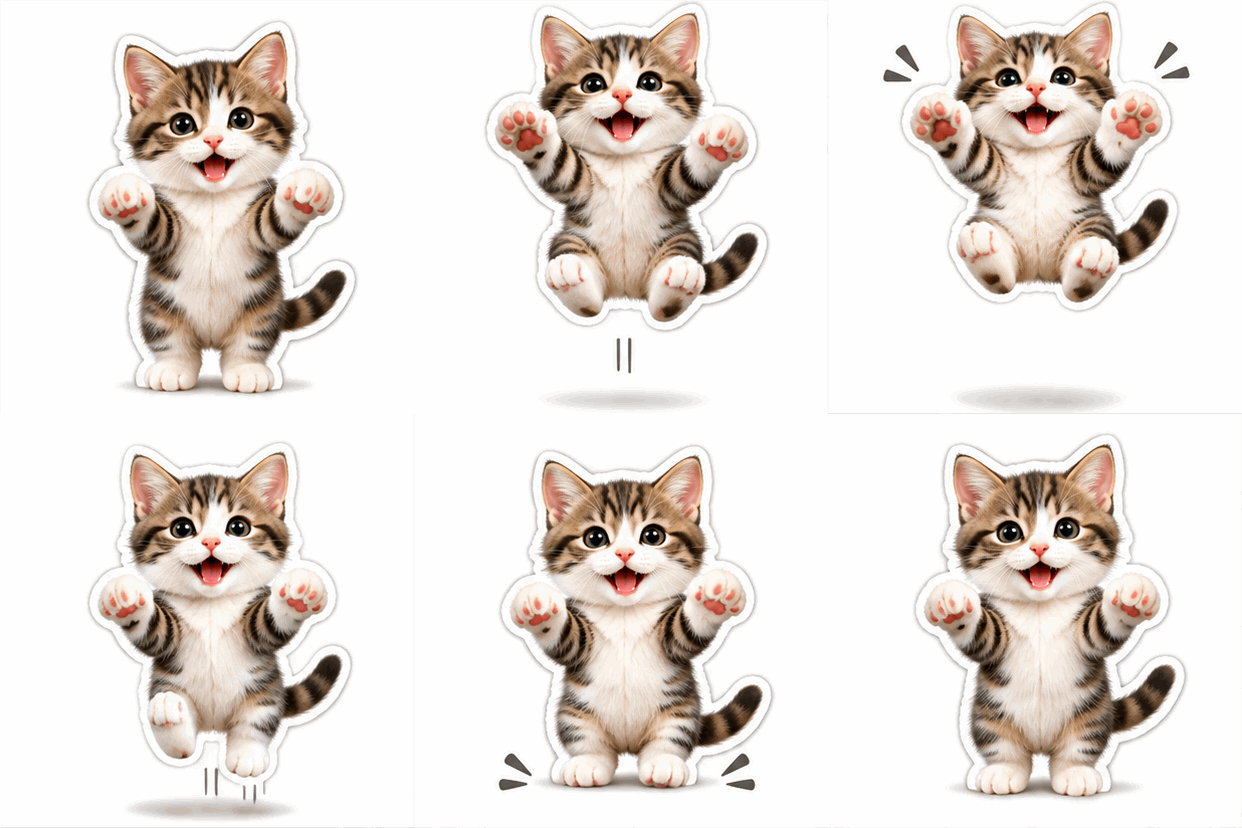 GIF
Real result, not retouched
Happy bounce · Made with this tool from prompt 01 below.
At a glance
An animated sticker maker turns a character, pet or photo into a short looping GIF that looks like a chat sticker. It suits people who answer with reactions in group chats and communities and want a custom moving image. The file is a sticker-style GIF, not a native sticker pack for an app.
- Input
- Character, pet or photo
- Output
- Sticker-style GIF loop
- Model
- GPT Image 2.6 Flare
- Cost
- Free credits, then paid plans
How to make an animated sticker GIF
Describe a character and a reaction, then generate a short looping GIF. Keep the move small so the sticker still reads at chat size.
 1
Describe the reaction
Name the character and one feeling, such as a happy bounce, a wave or a surprised take. One action per sticker reads best.
 2
Generate the loop
GPT Image 2.6 Flare returns a short GIF from the description. Add a reference picture when the character must look like your own.
 3
Download and send it
Save the GIF and share it in chat, a story or a community post. Check the size at the destination before sending.
Animated sticker ideas for chat reactions
A happy bounce, a wave and a surprised take cover most chat replies. Tap a card to load the prompt, then swap in your own character.
- GIF01
Happy bounce
A small jump that reads as celebration at chat size.
PromptSticker-style animation of a cheerful cat bouncing once with paws up, thick white outline, plain background, centred, loops back to the first frame, no text.
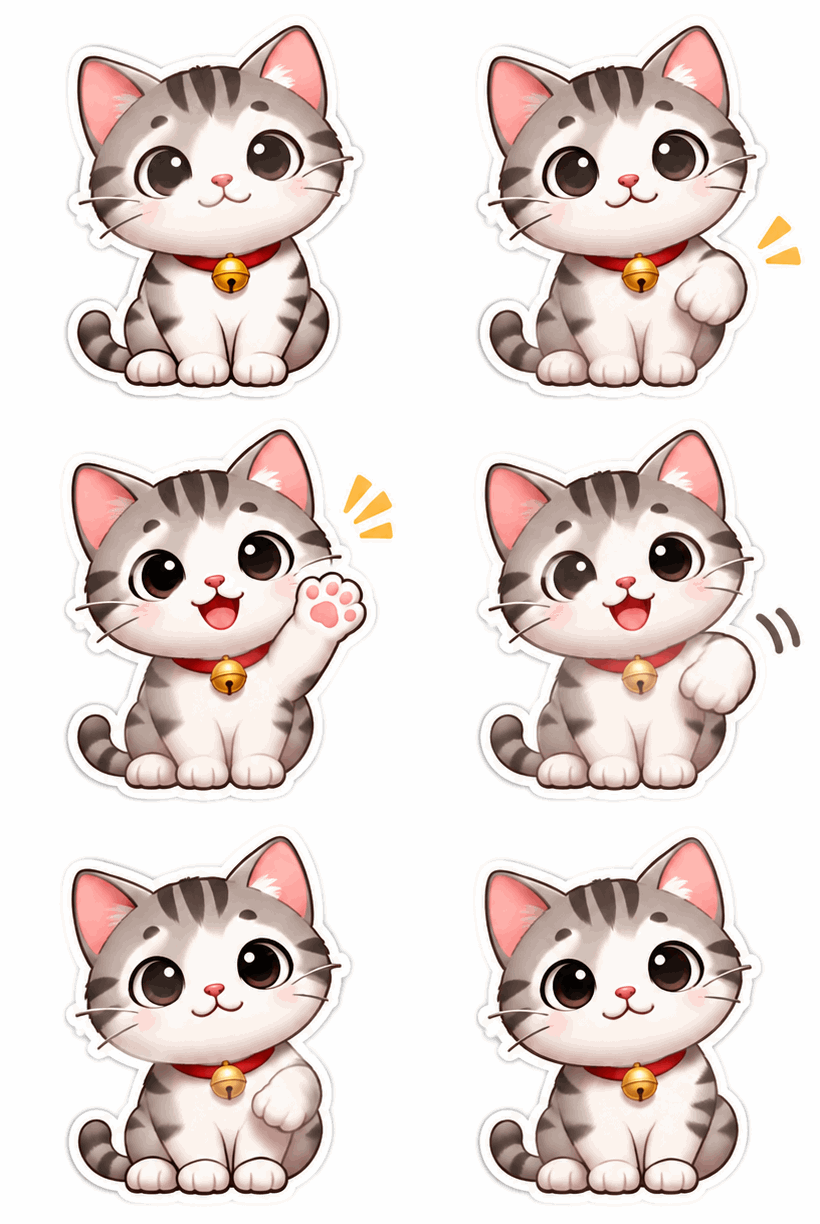 GIF02
Friendly wave
One wave that ends at the resting pose.
PromptSticker-style animation of a cute character waving one paw once and returning to rest, thick white outline, plain background, centred, loops back to the first frame, no text.
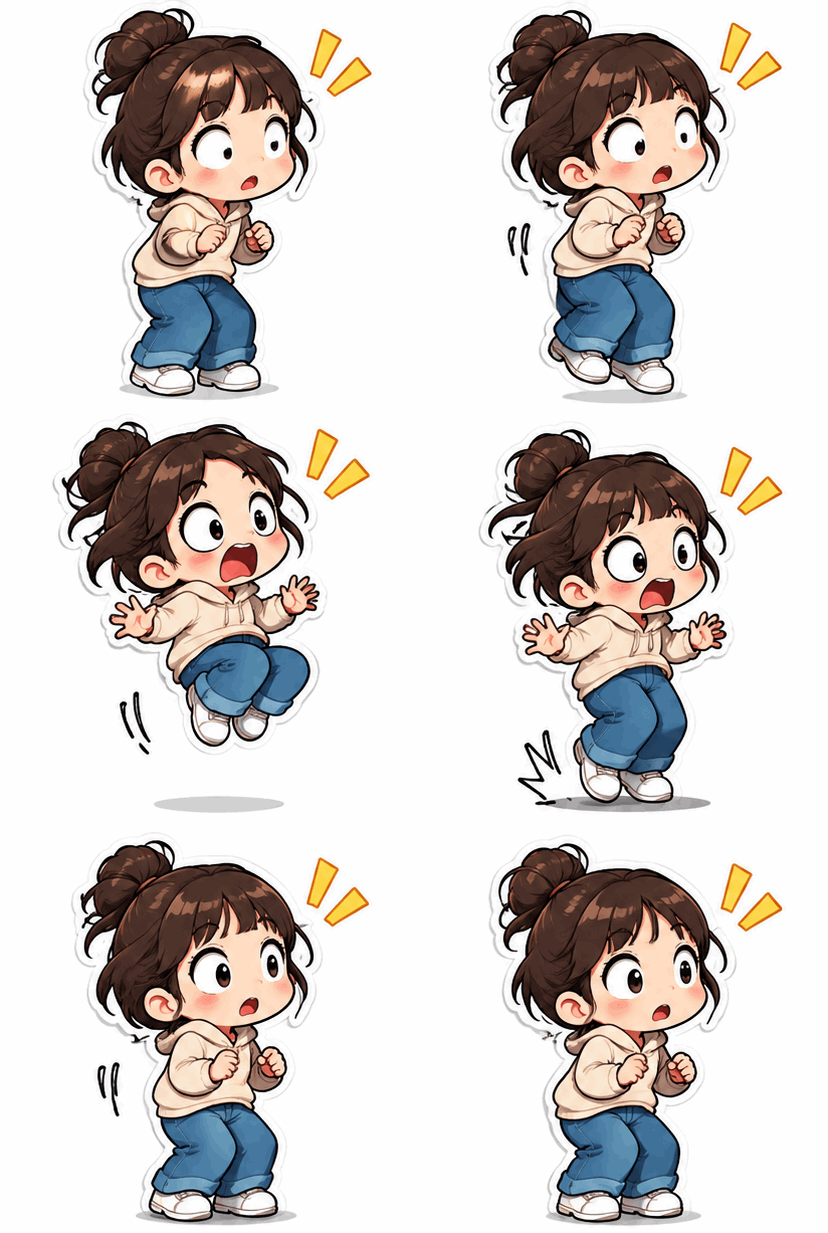 GIF03
Surprised take
A quick double-take for group chat replies.
PromptSticker-style animation of a surprised character doing a fast double-take with wide eyes and one small hop, thick white outline, plain background, centred, loops back to the first frame, no text.
Best places to use an animated sticker
Chat, stories and community posts each ask for a small, clear shape. Pick the destination before choosing the crop.
Group chat reactions
Send a custom happy bounce when a friend shares good news. The loop is short, so it loads fast in a busy chat.
Story stickers
Add a moving character to a story for a launch or a milestone. A strong outline keeps it readable over a photo.

Community badges
Community managers can hand out a small animated badge to thank members. Keep one character across the set so the group feels related.
Felo vs. a classic GIF editor
A classic editor rearranges frames you already have. Felo draws new frames from what you describe.
- Starting point
- Felo: One sentence, plus a photo or GIF when the tool asks for one
- Classic GIF editor: A video clip or a folder of frames
- Making the motion
- Felo: The model draws each frame from your description
- Classic GIF editor: You trim, crop and time frames by hand
- Changing the style
- Felo: Rewrite the prompt: pixel art, clay, line art or photo
- Classic GIF editor: Filters on the footage you already have
- Words in the loop
- Felo: Name the words in the prompt, then check spelling at full size
- Classic GIF editor: A typed overlay placed on top of the frames
- Setup
- Felo: Runs in the browser after sign-in
- Classic GIF editor: Often a desktop or phone app to install
How to check an animated sticker before sending
Check the outline, the background and the small size before sending. Each one shows up at chat size, not at full size.
- 1
Silhouette at small size
Shrink the preview until the sticker looks tiny. When the pose stops reading, remove detail instead of adding more.
- 2
Outline and background
Look at the corners. A busy or coloured background breaks the sticker shape, and a missing outline makes it blend into the chat.
- 3
One clear action
The bounce, wave or take should finish inside one loop. Two actions in one sticker read as a stutter at chat size.
- 4
Colour and file size
GIF keeps 256 colours per frame. Flat colours survive that limit better than gradients, and a shorter loop keeps the file light.
Post it wherever GIFs play
A GIF needs no player or plug-in, so one file works in chat, docs and email.
- Discord
- Slack
- Telegram
- X
- Notion
- Google Slides
- Gmail
- iMessage
Free to start: credits and sticker GIF limits
Yes, starts free: a Felo account includes free credits, and paid plans add more.
Free to start
Every Felo account includes free credits, so the first animated sticker costs nothing. No credit card is needed to try it.
Credits per sticker
Each generation uses credits, and paid plans raise the allowance. Keep one character reference ready so a retry still looks like the same character.
Format and pack limits
GIF carries 256 colours per frame and no audio. A native sticker pack needs a different format and a separate import step.
Animated sticker maker questions
How do I make an animated sticker?
Describe a character and a reaction, then generate a sticker-style GIF that loops. Keep the movement short so the sticker still reads at chat size.
Is it a Telegram or WhatsApp sticker pack?
No, the result is a GIF file, not a pack in either app's format. Telegram and WhatsApp use separate sticker formats and their own import steps.
Will the animated sticker have a transparent background?
Not guaranteed. Ask for a white outline and a plain background in the prompt, then check the corners at chat size.
Can I use my own character or pet photo?
Yes, if you hold the rights to the image. Add it as a reference and describe the reaction; the model may change markings, fur or facial details.
Is the animated sticker maker free?
You can start with the free credits included in a Felo account. Every generation uses credits, and paid plans add more.
Why does AI change the character between stickers?
Each generation is a new drawing, so a character drifts in line, colour and shape. Reuse one reference image and one description, then compare the results side by side.
Every Felo GIF tool
All 12 tools run in your browser with the same prompt box. Pick the one that matches what you start with.
 AI GIF GeneratorTurn one written moment into a short looping GIF with GPT Image 2.6 Flare.
 AI Image to GIFTurn one still photo into a short looping GIF by describing a single movement.
 Images to GIFTurn still photos into a looping GIF with AI from a reference image, or assemble exact frames yourself.
 GIF Meme MakerDescribe a reaction and get a looping meme GIF for chat, with exact captions when every word has to be right.
 Animated Text GIF GeneratorDescribe your words and motion and get a looping animated text GIF for titles, greetings and countdowns.
 Discord GIF MakerMake a Discord GIF for chat, a custom emoji or an avatar, then check it against the current upload limit.
 AI Logo GIF GeneratorGive an existing logo a short GIF animation with GPT Image 2.6 Flare.
 AI Pixel GIF GeneratorTurn one pixel character into an idle, walk or attack animation loop, then download the GIF as a preview.
 Reverse GIFTurn one reference frame into a GIF loop that plays forward and back.
 GIF Background RemoverGive a GIF a clean cut-out background from one reference frame.
 GIF UpscalerUpscale a small or blurry GIF with an AI redraw that adds detail at a larger size.
Make your first animated sticker GIF
Describe a character and a reaction, then download a loop that reads clearly in chat.
Create a sticker GIF