AI GIF Meme Maker
GIF meme maker: turn a sentence into an AI meme GIF
Type the reaction you have in mind and get a looping meme GIF with a clean band for your caption. Need an exact line? Pair the scene with a caption you write yourself.
- Free to try
- One sentence is enough
- GIF output
Generation runs on Felo after sign-in, with GPT Image 2.6 Flare and GIF output already selected. Credits depend on your account.
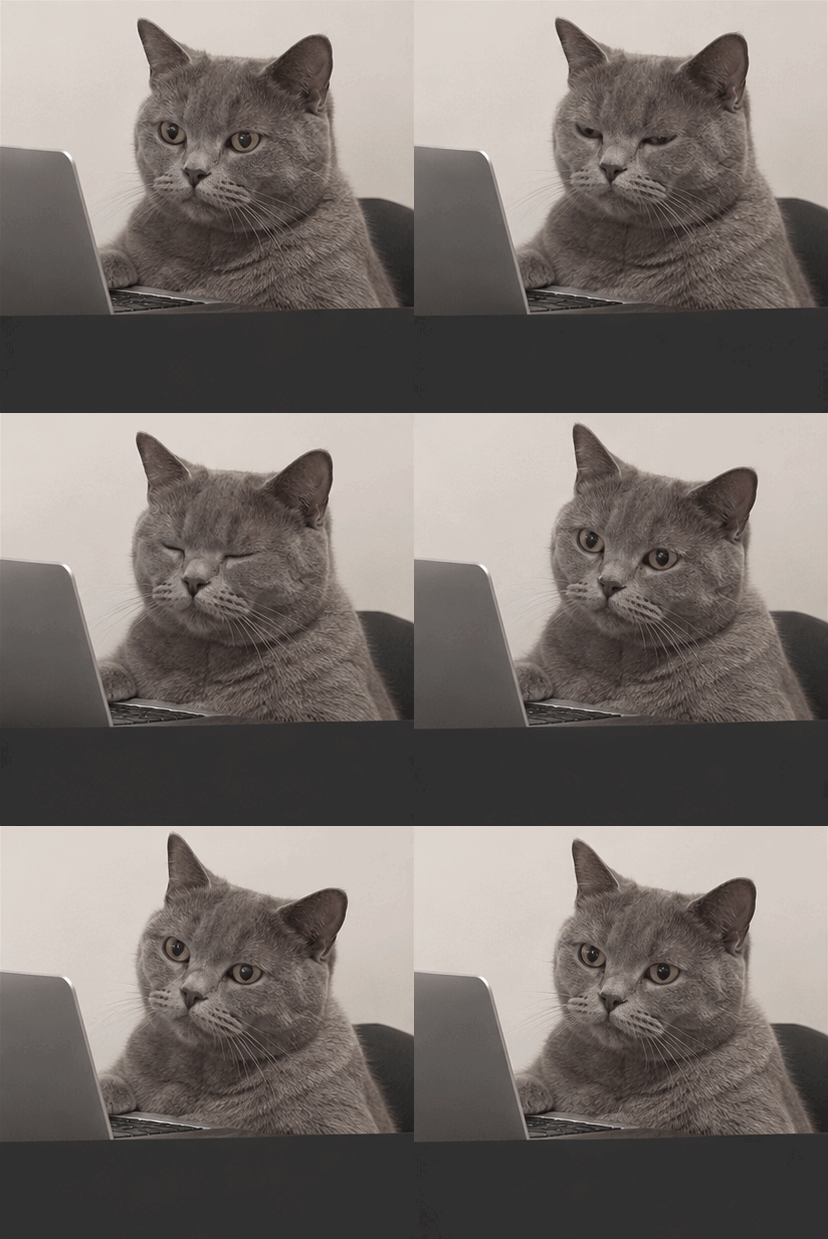 GIF
Real result, not retouched
Deadpan cat at a laptop · Made with this tool from prompt 01 below.
At a glance
A GIF meme maker turns a written reaction into a short, looping GIF you can send in a chat or post in a feed. It suits people who have the joke in mind but no clip to edit. It also keeps a clean caption option for lines that must be spelled exactly.
- Input
- One sentence or a preset prompt
- Output
- A looping GIF, 256 colours
- Model
- GPT Image 2.6 Flare
- Cost
- Free to try; credits after sign-in
How to make a meme GIF with AI
Describe the reaction, generate the loop on Felo, and download a GIF ready for chat.
 1
Describe the reaction
Name the subject, the action and the empty band for a caption. The prompt box turns that into a complete request.
 2
Generate the loop on Felo
Sign in and let GPT Image 2.6 Flare draw the frames with GIF output selected. The result is a short loop, usually one action.
 3
Check it and download
Play the loop and watch for broken lettering or a cut scene. Download the file once the reaction reads in two seconds.
Meme GIF prompts you can use
Pick a card to load the full prompt into the prompt box, then edit the details to fit your joke.
- GIF01
Deadpan cat at a laptop
A slow-blink reaction loop with an empty lower band, ready for a chat caption.
PromptA looping meme GIF: a grey cat sitting at a small laptop, deadpan expression, one slow blink and a tiny head tilt. Flat indoor lighting, plain wall behind, clean empty dark band across the bottom third for a caption. Square frame, subtle grain, no text or letters rendered.
 GIF02
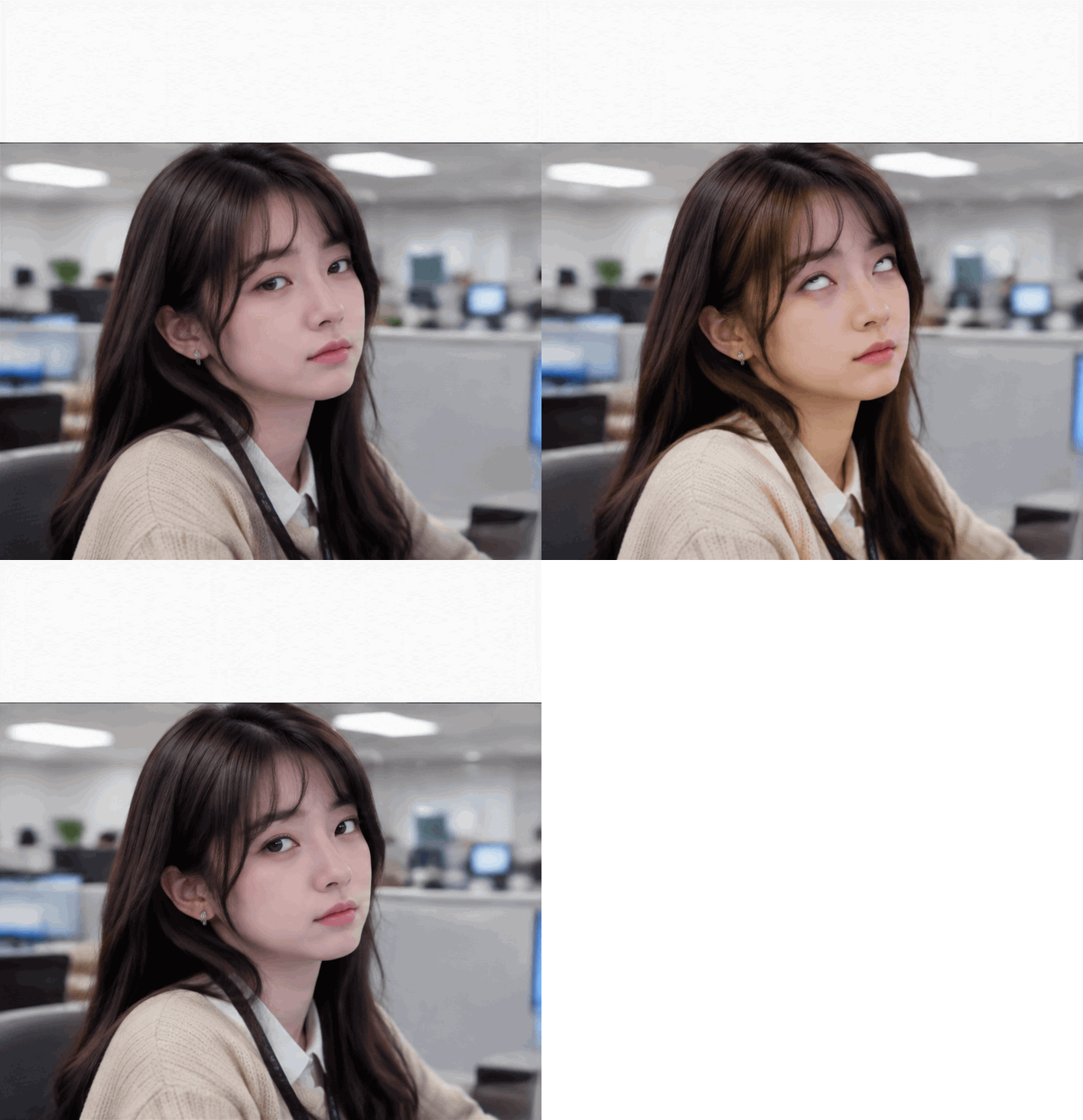
Office eye-roll loop
A short coworker reaction for meeting-chat replies, with space left at the top.
PromptA looping meme GIF: an office worker in a beige cardigan slowly rolls their eyes and looks back at the camera. Three-beat loop, fluorescent office background slightly out of focus. Clean empty band at the top for a caption, square frame, no text or letters rendered.
 GIF03
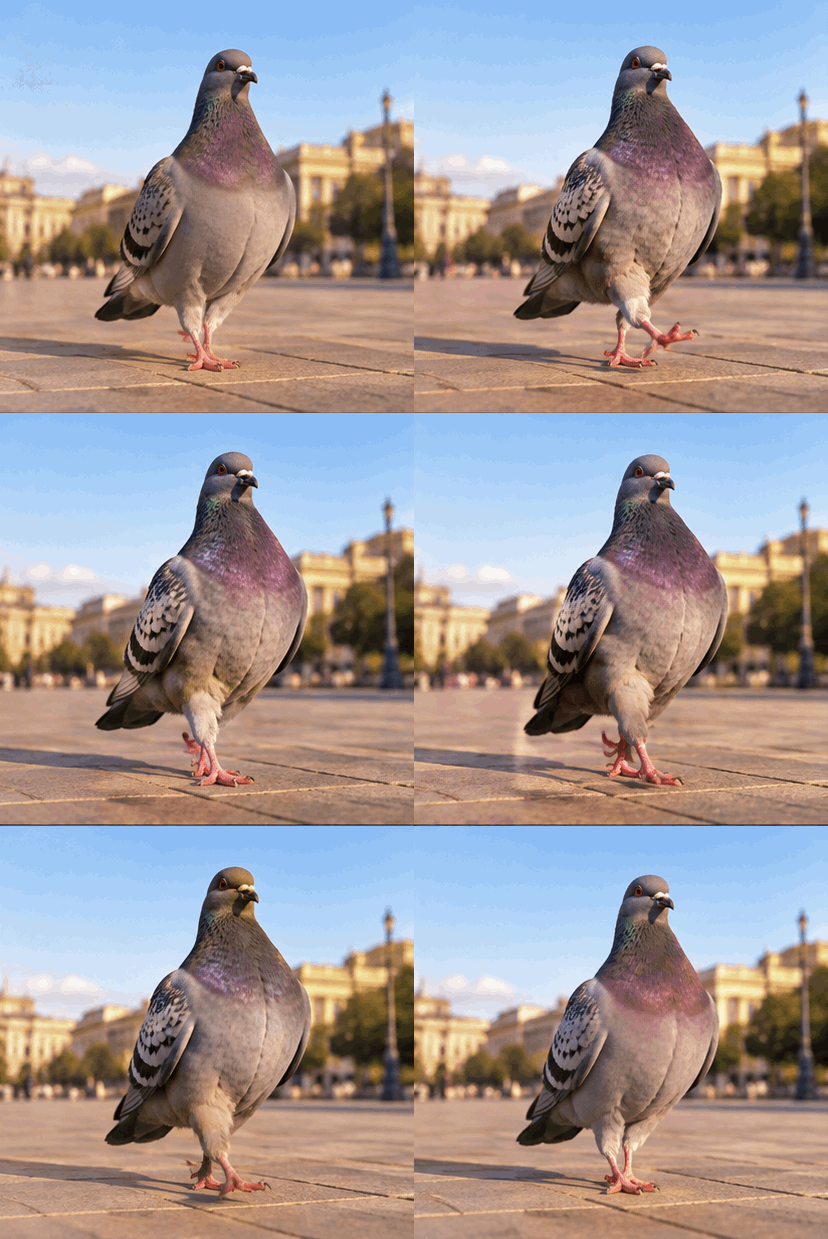
Triumphant pigeon strut
An absurd nature-documentary loop that works with almost any short caption.
PromptA looping meme GIF: a pigeon strutting across a tiled square in slow motion, chest out, looking proud. Warm late-afternoon light, shallow depth of field. Clean sky band at the top for a caption, loop that returns to the first frame cleanly, no text or letters rendered.
Best places to use a meme GIF
These three situations reward a short reaction that people recognise.
Group chats
Answer a message with a reaction instead of a paragraph. Keep the caption to a few words so it reads at chat size.
Community posts
Reply to a thread with a fresh reaction rather than the same clip. Generate one loop per moment and keep the joke in the caption.

Team channels
Lighten a release note or a late meeting with a tired nod. One slow action fits a two-second loop.
Felo vs. a classic GIF editor
A classic editor rearranges frames you already have. Felo draws new frames from what you describe.
- Starting point
- Felo: One sentence, plus a photo or GIF when the tool asks for one
- Classic GIF editor: A video clip or a folder of frames
- Making the motion
- Felo: The model draws each frame from your description
- Classic GIF editor: You trim, crop and time frames by hand
- Changing the style
- Felo: Rewrite the prompt: pixel art, clay, line art or photo
- Classic GIF editor: Filters on the footage you already have
- Words in the loop
- Felo: Name the words in the prompt, then check spelling at full size
- Classic GIF editor: A typed overlay placed on top of the frames
- Setup
- Felo: Runs in the browser after sign-in
- Classic GIF editor: Often a desktop or phone app to install
Add exact captions to your own GIF
For lines that must match your words, the editor draws the text you type on a GIF you own, inside the browser.
Meme GIF checks before you send
Check the lettering, the loop seam, the caption space and the file size before the GIF goes out.
- 1
Lettering
Zoom in on any word the model drew. If it is wrong, generate without text and write the caption yourself.
- 2
Loop seam
Watch the last frame meet the first. A visible jump or pause breaks the joke.
- 3
Caption space
Keep one clean band empty for the whole loop. A subject that drifts into it will cover your words later.
- 4
File size
GIFs grow with frame count and detail. A short loop loads faster in chat.
Post it wherever GIFs play
A GIF needs no player or plug-in, so one file works in chat, docs and email.
- Discord
- Slack
- Telegram
- X
- Notion
- Google Slides
- Gmail
- iMessage
Free to start: credits and meme GIF limits
The prompt box is free to open, generation uses credits, and the file format sets the rest.
Free to start
Opening the prompt box and the caption editor costs nothing. You can write a prompt and see the options before signing in.
Generation credits
Generating on Felo uses your account allowance, and every retry is another run. Sign-in is required before the model starts.
GIF file limits
Output has 256 colours per frame and no audio. The caption editor accepts GIF files up to 25 MB with at least two frames.
GIF meme maker FAQ
How do I make a meme GIF with AI?
Describe the reaction in one sentence, sign in to Felo, and generate a looping GIF with GPT Image 2.6 Flare and GIF output selected. Download it from the creation page.
Can I add an exact caption to the meme?
Yes. Generate the scene with an empty band, then use the caption editor to draw your exact words on a GIF you own.
Why does AI misspell text in memes?
Image models draw letterforms instead of setting type, so short words often come out wrong. Leave text out of the prompt and add a caption instead.
Is the GIF meme maker free?
The prompt box is free to open, and generating on Felo uses your account credits. The caption editor runs in the browser without an account.
Can I use my own GIF instead of generating one?
Yes. The caption editor accepts a GIF up to 25 MB with at least two frames and draws your text on it.
How large is a meme GIF?
GIF allows 256 colours per frame, and short loops usually stay small. Longer or more detailed loops get heavier for chat.
Every Felo GIF tool
All 12 tools run in your browser with the same prompt box. Pick the one that matches what you start with.
 AI GIF GeneratorTurn one written moment into a short looping GIF with GPT Image 2.6 Flare.
 AI Image to GIFTurn one still photo into a short looping GIF by describing a single movement.
 Images to GIFTurn still photos into a looping GIF with AI from a reference image, or assemble exact frames yourself.
 Animated Text GIF GeneratorDescribe your words and motion and get a looping animated text GIF for titles, greetings and countdowns.
 Animated Sticker MakerMake an animated sticker GIF from a character, pet or photo, then send the loop in chat.
 Discord GIF MakerMake a Discord GIF for chat, a custom emoji or an avatar, then check it against the current upload limit.
 AI Logo GIF GeneratorGive an existing logo a short GIF animation with GPT Image 2.6 Flare.
 AI Pixel GIF GeneratorTurn one pixel character into an idle, walk or attack animation loop, then download the GIF as a preview.
 Reverse GIFTurn one reference frame into a GIF loop that plays forward and back.
 GIF Background RemoverGive a GIF a clean cut-out background from one reference frame.
 GIF UpscalerUpscale a small or blurry GIF with an AI redraw that adds detail at a larger size.
Make your meme GIF
Describe the scene, generate the loop, and add your own caption when the words have to be right.
Generate a meme GIF